

DAY 9: Installed Claude Code. Merely survived.
Terminal panic, upgrade confusion and accidental web apps

I made the leap.
After a 1.5 months on Substack reading raving reviews and posts about Claude Code, this ChatGPT Plus cheerleader finally jumped ship. Let me tell you, it wasn’t a walk in the park.
If you’ve never used a “terminal” or hardly, have zero coding experience (and no, html and CSS don’t count), get slightly panicked when your machine starts running scripts, never read instruction manuals or generally have “bad luck” with tech, you’re not alone.
This piece is about one thing, actually 4 things:
Getting Claude Code installed on your Mac
Getting it to just “work” - yeah cos’ apparently you need to log in (thanks Iverson for the subtle hint 😉)
Trying extremely basic things without breaking your computer
A small rant about Anthropic
Upgrading to Claude Pro - Anthropic, I’m sorry, what?
Let’s start with the rant.
Anthropic. I may not be a developer or an engineer. But I use generative AI daily and am more than willing to learn. At 18€ - I am definitely in your target audience!
So just why on Earth wouldn’t you just clearly write that Claude Code is included in Claude Pro?
What’s one more line of text, seriously? You can hyperlink it wherever your want for more info - but please, for the sake of the opinionated marketer and average user that I am, make it clear from the get go.

Also, if you send me the receipt, please update my account to Pro already? I had “Free Plan” showing up for like 12 hours. That’s not good for financially stressed people like me.

Anyway. Long story short. I upgraded to Pro - paying was seamlessRant over.
Installing Claude Code on your Mac.
I followed Olena Mytruk’s guide for Mac users. I still didn’t know if I had fully upgraded but hey, tried it anyway because I live dangerously.
So:
Open your terminal by pressing
Cmd + Space, typing “Terminal”and hittingEnter. A window will appear with some weird text with your name. That’s the terminal.Install Claude Code by literally copying and pasting this line of code into the terminal
curl -fsSL https://claude.ai/install.sh | bash
It runs, it looks scary. Sometimes nothing appears to happen. You should get there:
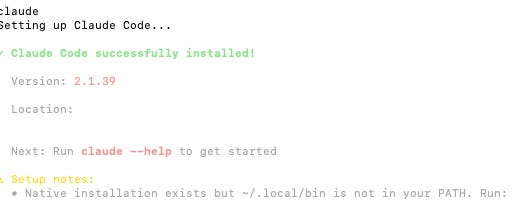
In my case, it showed “Setup notes” and told me to run another command. I did. Blindly. It worked.
And then just type:
claudeThis starts the setup. You see this:
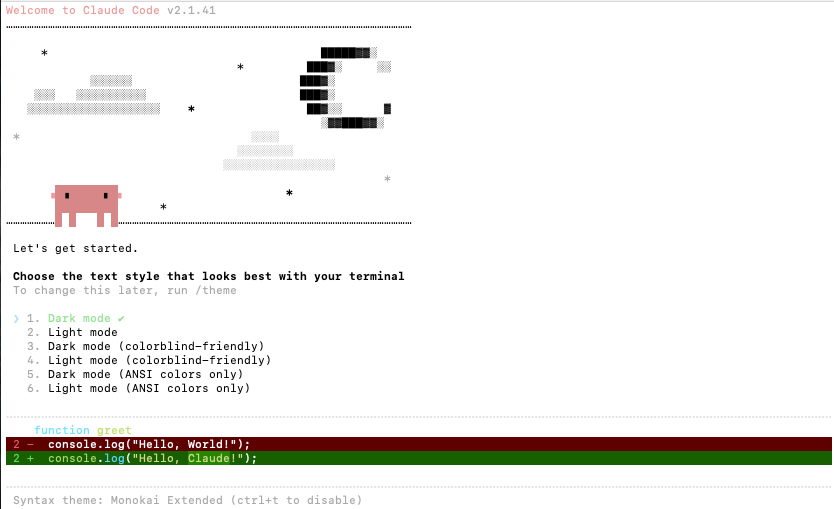
Don’t freak out just yet (I did). Press the number of your preference (on your keyboard!). I went with 2, so I pressed 2 on my keyboard. Then press Enter.
It may or may not ask you to install stuff - I had to install “git”. Just follow politely, keep going (😅).
Login to Claude Code
Eventually, it asks you to log in.
This is the past I missed yesterday evening. Thought I was a genius having installed Claude Code by myself, turns out I’m only half genius.
So go back to your terminal window where Claude Code was setting up and asking you to log in with a link to click. Click, log in. Voilà!
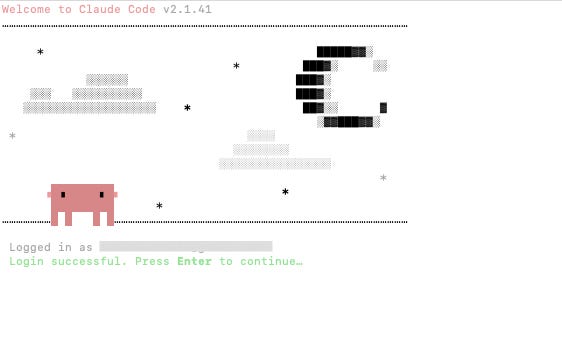
If you see:
❯ Try "write a test for <filepath>" 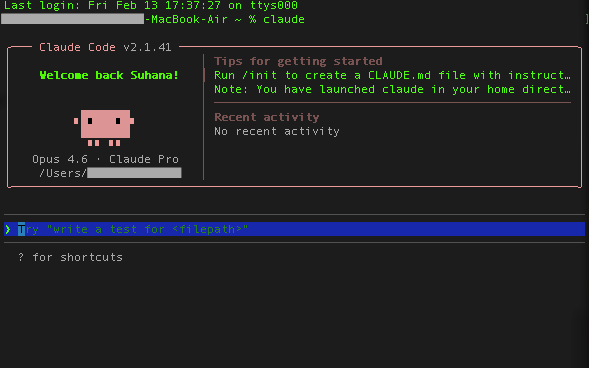
That means you’re ready to go!
First experiments
Because I am terrified of breaking things, I started simple.
Scraping blog articles
To do so I simply typed in
I want to scrape all the blog articles from https://mentorloop.com/blog/ (or any website you want)It started to do some things, it also regularly ask you permission to perform certain task to which you have to respond by pressing keys.
5 minutes later… I get a beautiful CSV, which isn’t convenient so I ask it to convert the file in xls, which it does 2 minutes later. And tadaammm:
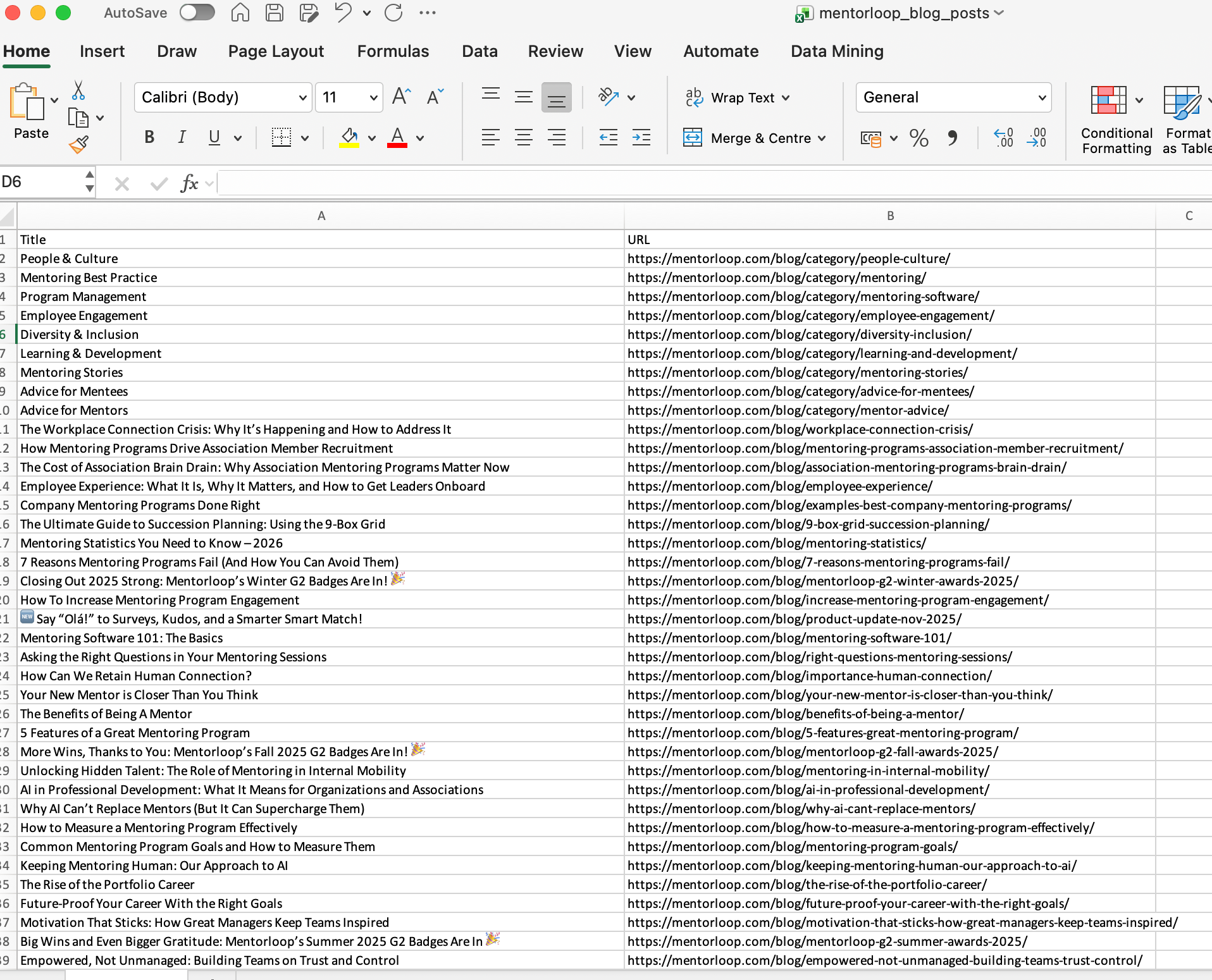
I guess I could have asked it to pull the keywords, dates of publication etc. but I forgot. This is interesting for me to analyse from an SEO and content perspective.
Creating a web app to create LinkedIn Carousel out of dropped-in pdf or doc or pasted content
I was inspired by Karen Spinner’s CarouselBot. She’s an expert. I’m very much not. I just wanted to see what Claude Code could do with very basic instructions like:
I want to create something that creates branded LinkedIn Carousels out of pdfs or word document or pasted text. I want to be able to download the output in pdf format. The output needs to comply to LinkedIn Carousel’s specs in terms of size.Basic…
Claude went into planning mode, asked a few clarifying questions and got to work.
5 minutes later, I had a working prototype:
I tried it with some content and it generated the Carousels on the right hand side.
Many things are not perfect:
Starting with the fact that it didn’t summarise content (maybe it’s something I should have instructed), it just pulls the content and slaps it into slides.
The look and feel of the carousel could use some polishing.
No history of previous carousels
I’d like to have different templates or more customisation options
But hey!!! This just helps cristallise the end product I’d need and give better instructions next time around.
Trimming a video
Funnily enough, the video above was originally too long. So I asked Claude
Please cut the video, I only want to keep the 17 first seconds of it. It asked me to install something else thing and got to work. The video you’re seeing above is the result.
For someone who does not understand what half of the commands mean, this feels borderline illegal.
At the end of the day I feel pretty proud I’ve tried Claude Code by myself.
I freaked out many times in the process because I genuinely do not understand what half (if not all) of the code says or does when Claude does its thing. Watching your machine execute scripts you don’t understand is quite unnerving…
But still… big leap for me.
There are plenty of things I don’t know how to do yet. Like how to properly use Claude Code for content. Or how that even renders versus Web Claude.
But baby steps.
And by the way, thank you so much for sharing your experience! It made me realize some of the instructions in my guide were misleading so I have updated them! ❤️
You’ve got this Suhana! 👏